How to Spot an NBN Scam: 8 Warning Signs
nbn scams often use unexpected calls, messages or in-person visits to pressure you into sharing personal information, sending money or giving access to your device. These scams can affect anyone. However, older Australians are often targeted through…
nbn scams often use unexpected calls, messages or in-person visits to pressure you into sharing personal information, sending money or giving access to your device.
These scams can affect anyone. However, older Australians are often targeted through unexpected phone calls and remote-access scams.
As per Scamwatch.gov.au, across all scam types, Australians aged 65 and over reported the highest financial losses of any age group in 2024, with reported losses of $99.6 million.
Knowing how nbn and your internet provider operate can help you recognise suspicious contact before you share personal information, provide access to your device or send money.
How Scammers Try to Trick NBN Customers
An nbn scam usually involves someone pretending to represent nbn, your internet provider or another trusted organisation.
The scammer may claim:
There is a problem with your internet connection.
Your computer or modem has been hacked.
Your internet will be disconnected unless you act immediately.
You need to pay for a new modem, connection box or security service.
You are eligible for a refund or faster internet plan.
They need remote access to your computer to fix a technical issue.
They need your bank details, password or identity documents.
A technician needs immediate access to your property.
Scammers often create a sense of urgency. They may tell you that you need to act within a few minutes, keep the call private or follow their instructions without contacting anyone else.
They may also make the call appear to come from a legitimate Australian phone number. This is known as caller ID spoofing, so the number displayed on your phone should not be treated as proof that a caller is genuine.
Flip Tip: Unexpected contact and urgent demands are a dangerous combination. Stop, hang up and check the request independently before taking any action.
8 Ways to Spot an nbn Scammer
1. They contact you unexpectedly
Be cautious if you receive an unplanned call, email, text or visit from someone claiming to be from nbn, a government department or a telecommunications provider. Always verify the contact using official details you find yourself.
2. They ask to access your computer
Scammers may ask you to install remote-access software so they can “fix” your internet.
This software can allow them to view your screen, access your accounts and steal personal or financial information.
As per NBN Australia website, nbn will not call you to request access to your computer.
3. They threaten to disconnect your internet
A scammer may claim your internet or home phone will be disconnected unless you pay immediately or provide personal information.
Questions about your service, billing or account should be directed to your actual internet provider.
4. They try to sell you an nbn plan
nbn is a wholesale network provider and does not sell nbn internet or phone plans directly to households.
An nbn-powered plan must be purchased through an internet service provider, such as Flip.
5. They request unusual payments
Be suspicious if someone asks for payment through:
Gift cards.
Cryptocurrency.
Cash.
Money transfers.
An unfamiliar bank account.
A payment link sent during an unexpected call.
Legitimate providers will not pressure you to use unusual payment methods.
6. They ask for passwords or security codes
Never share your internet banking password, email password or one-time security code with an unexpected caller.
A scammer may use these details to access your accounts or approve a transaction.
7. They pressure you to act immediately
Scammers often use fear and urgency to stop you from thinking clearly.
A genuine organisation should give you time to verify who they are.
8. Their identification cannot be verified
People authorised to work on the nbn network carry an nbn digital identification card with a QR code.
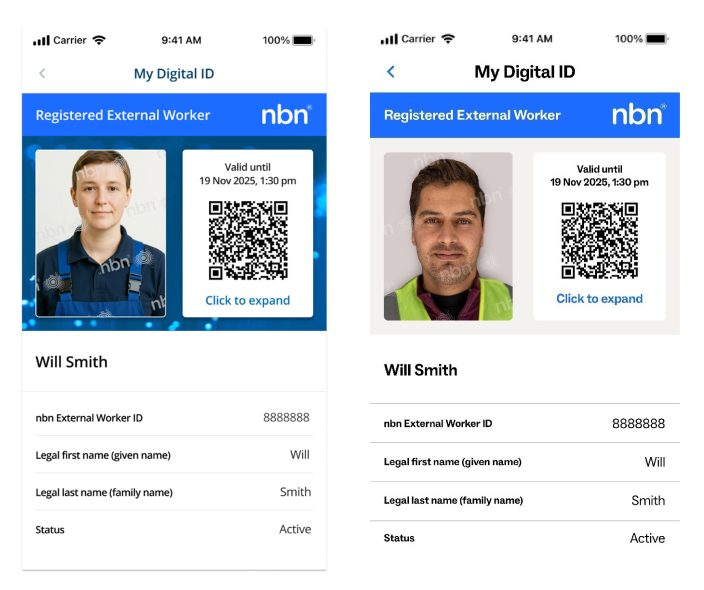
Ask to see the card and scan the QR code before allowing anyone onto your property.
Do not trust someone simply because they are wearing a uniform or displaying an nbn logo.
What to Do When You Receive Suspicious Contact
If someone unexpectedly claims to represent nbn or your internet provider:
Do not provide personal or financial information.
Do not install software.
Do not click links they send you.
Do not allow remote access to your device.
Hang up the call.
Contact your provider using the number on its official website or your bill.
Speak with a trusted family member if you feel unsure.
Flip Tip: Flip also uses account-security and identity-verification measures to help protect customers from fraud and unauthorised account activity. Learn more about Flip's Fraud and Scam Protection
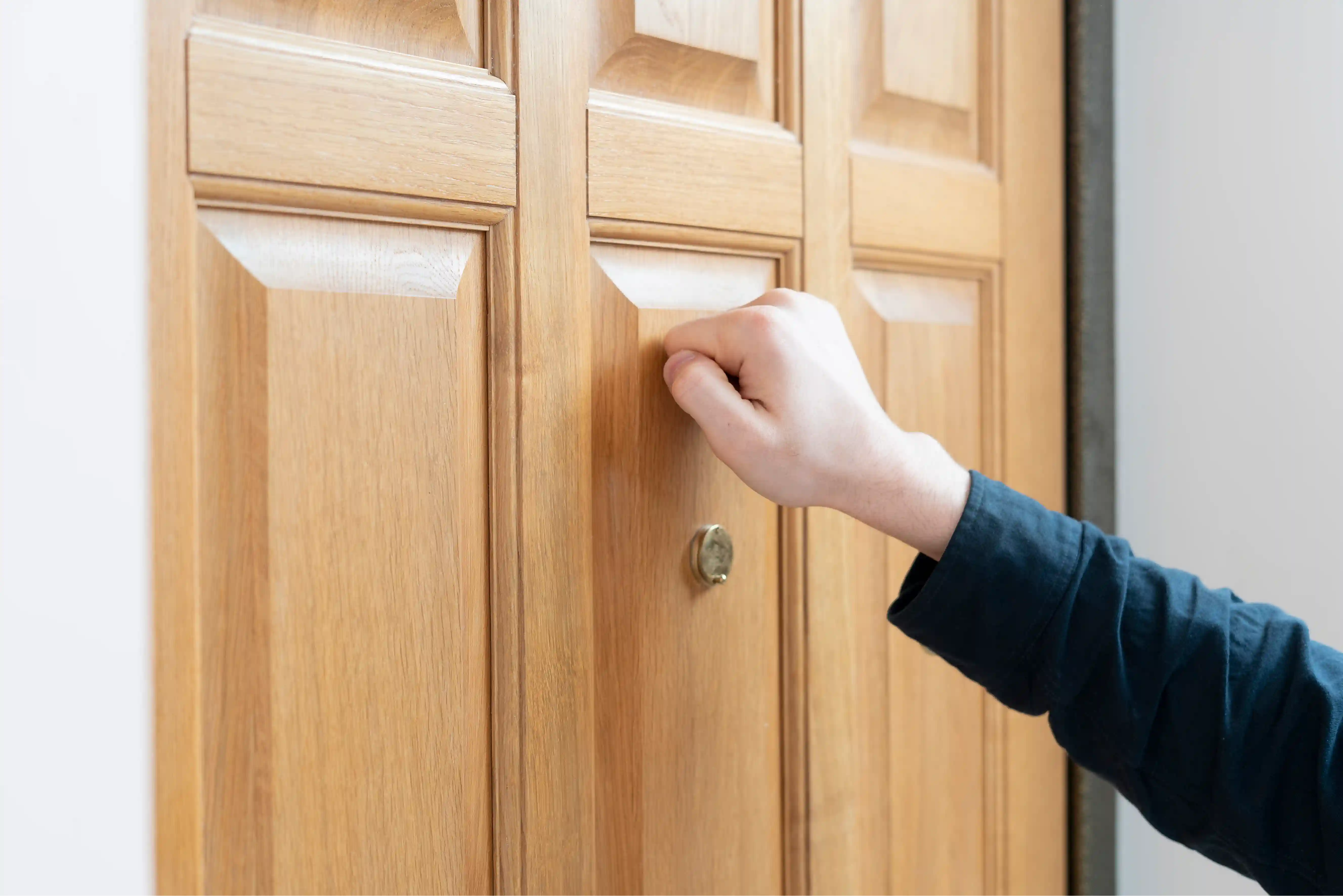
What to Do If Someone Knocks on Your Door
Do not allow an unexpected visitor inside until you have confirmed their identity and reason for attending.
Ask them to:
Show their nbn digital identification card.
Allow you to scan the QR code.
Explain which company sent them.
Provide details of the appointment.
Wait outside while you contact your internet provider.
Do not hand over cash, banking details or identity documents to an unexpected visitor.
What Is the Difference Between nbn and Your Internet Provider?
Understanding the difference between nbn and your provider can make scams easier to identify.
What does nbn do?
nbn builds, operates and maintains much of Australia’s broadband network.
It supplies wholesale network access to internet and phone providers but does not generally sell plans directly to households.
What does an internet service provider do?
An internet service provider sells plans and manages the customer relationship.
Your provider is usually responsible for:
Setting up your internet plan.
Billing and payments.
Customer support.
Troubleshooting.
Organising eligible nbn appointments.
Helping configure your modem.
Managing your account.
Flip is the company you contact about your Flip internet plan, account, billing or connection.
Flip Tip: Think of nbn as the network wholesaler and Flip as the provider that manages your service.
What to Do If You Gave a Scammer Access to Your Device
Act quickly if you installed remote-access software, clicked a suspicious link, shared a password or allowed someone to access your device.
Disconnect the device
Turn off Wi-Fi or unplug the Ethernet cable.
Do not use the affected device for banking, email or other sensitive accounts until it has been checked.
Contact your bank
Call your bank using the official number on its website, app or the back of your card.
Ask it to check for suspicious transactions, stop payments where possible and secure your accounts.
Change your passwords
Using a different trusted device, change the passwords for:
Your main email account.
Online banking.
Your internet account.
Government services.
Social media.
Shopping and payment accounts.
Use a different strong passphrase for each account and turn on multi-factor authentication where available.
Remove suspicious software
Uninstall any program the scammer asked you to download.
Run a security scan or have the device checked by a reputable technician.
Keep evidence
Save screenshots, phone numbers, email addresses, payment receipts and the date and time of the contact.
This information may help your bank, police or reporting agencies.
Who Should You Report an nbn Scam To?
Depending on what happened, contact:
Your bank if money or financial information is involved.
Scamwatch to report the scam.
ReportCyber if you experienced hacking, identity theft or financial loss.
Police if money, identity information or property was stolen, or threats were made.
Your internet provider to confirm whether the contact was genuine.
Call 000 if there is an immediate risk to your safety.
Things to Be Aware Of
A genuine-looking phone number does not prove a caller is legitimate.
Logos, uniforms and email designs can be copied.
Never call a verification number provided by a suspicious caller.
Never give remote access to an unsolicited caller.
Never share passwords or one-time security codes.
Speak with older relatives about common scam warning signs.
Be cautious of follow-up scammers offering to recover lost money.
How Flip Helps Keep Customers Safe
At Flip, we take the security of your account and personal information seriously.
Identity checks to help protect your account
Before processing certain account changes, we verify your identity. This may include confirming identification details and sending a verification code by SMS or email to help prevent unauthorised changes.
A way to check suspicious contact
If you receive an unexpected call, email or text claiming to be from Flip, pause before sharing information or following instructions. Contact us directly using the number on your bill or our official website so we can help check whether the request is genuine.
Support if you suspect fraud
If you believe someone has accessed or changed your Flip account without permission, call us promptly on 1300 354 788. If your banking details or money are involved, contact your bank immediately too.
Flip Tip: If you’re unsure, stop and check. Never share your banking passwords or give an unexpected caller remote access to your device.
Suggested information to include:https://www.nbnco.com.au/learn/protect-yourself-from-scams
How Flip normally contacts customers.
What information Flip will never request.
How customers can verify a Flip call, email or message.
How Flip protects customer information.
The correct Flip support number and operating hours.